[C#.NET][SMS] 使用 Every8D Web Service API 2.1 發送簡訊
官網:https://tw.every8d.com/every8d30/index.aspx
要使用人家的API第一步就是找到文件,個人覺得這網站的操作不是那麼的便利,功能找好久。
點選API介接:
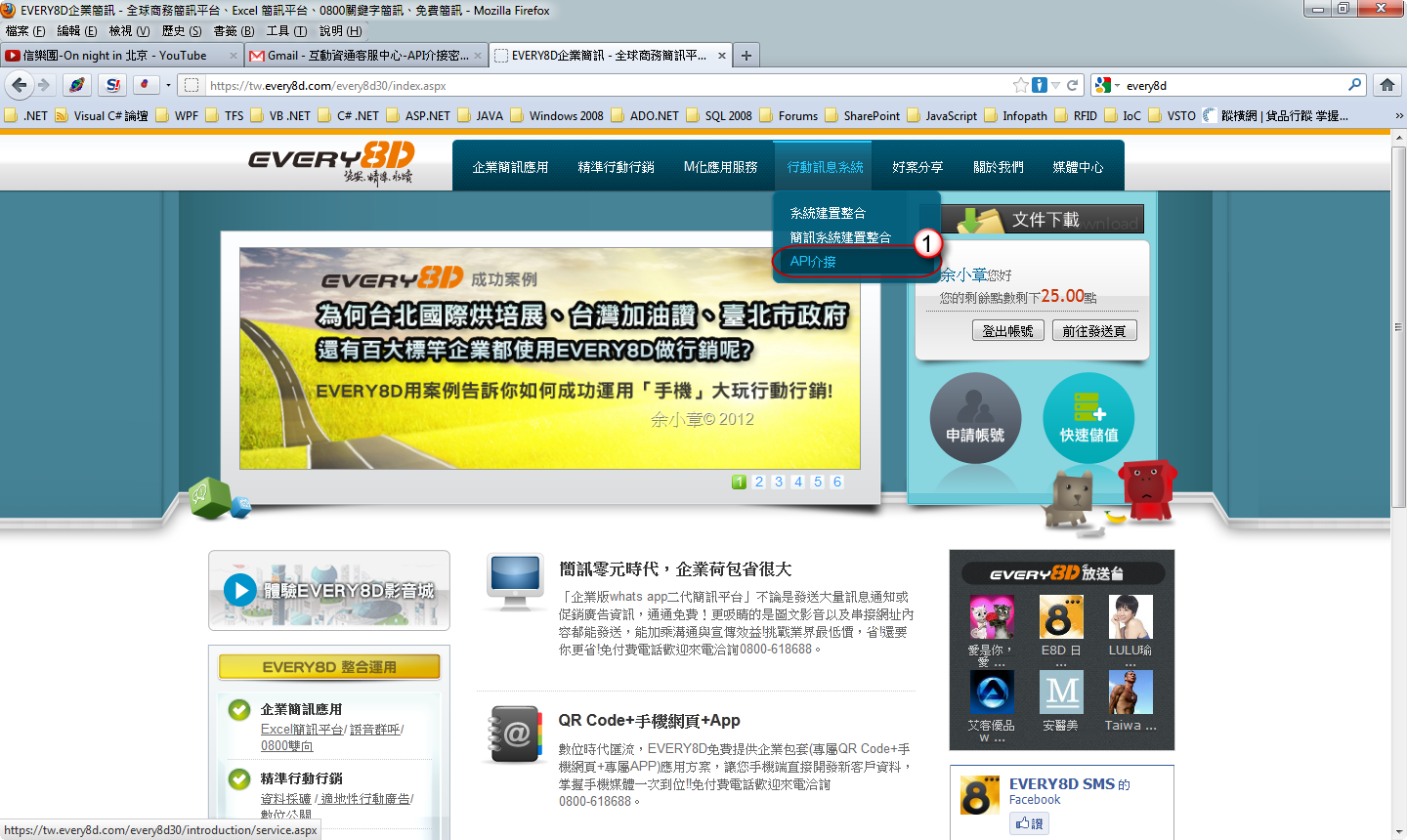
找到API系統介接
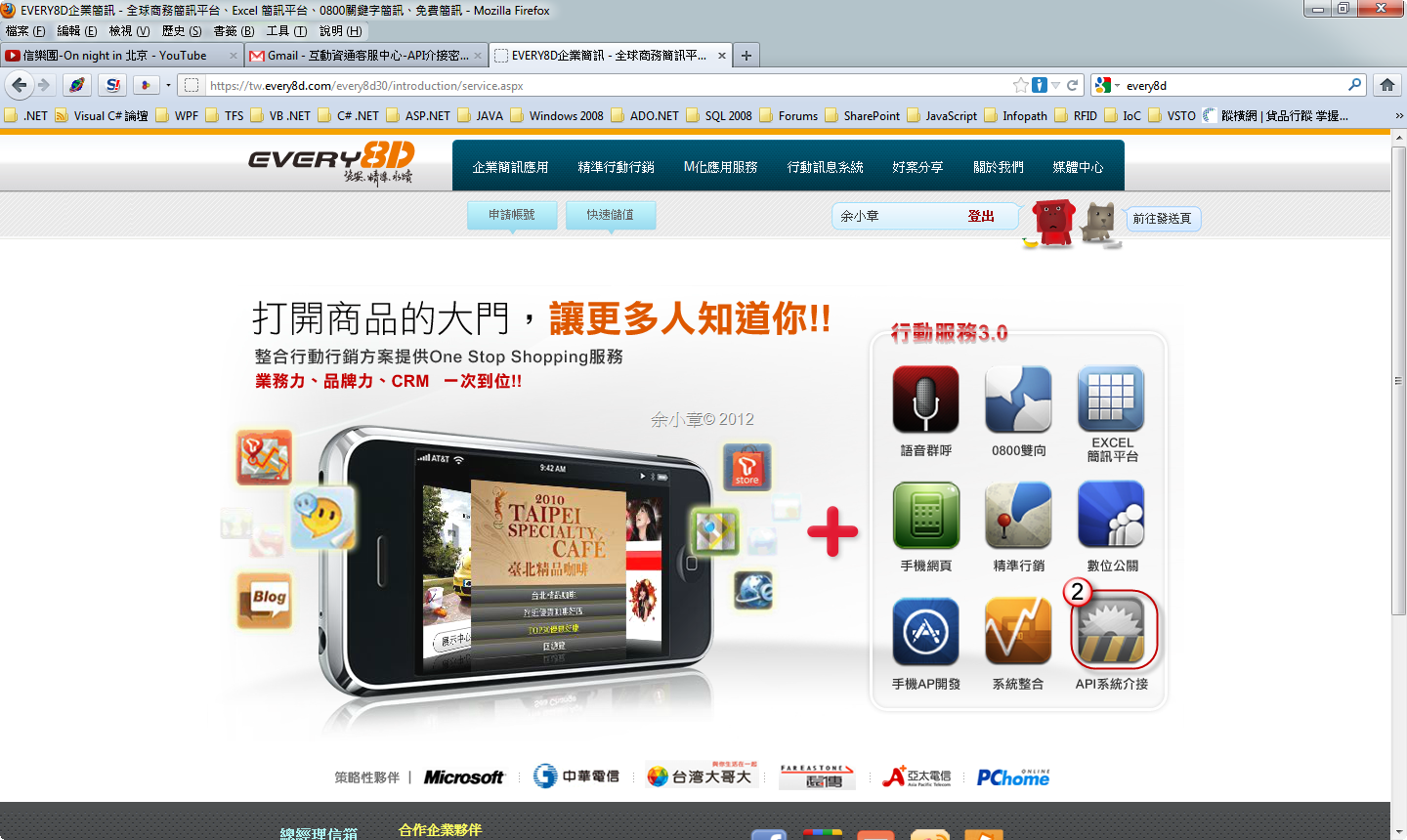
按下下載文件
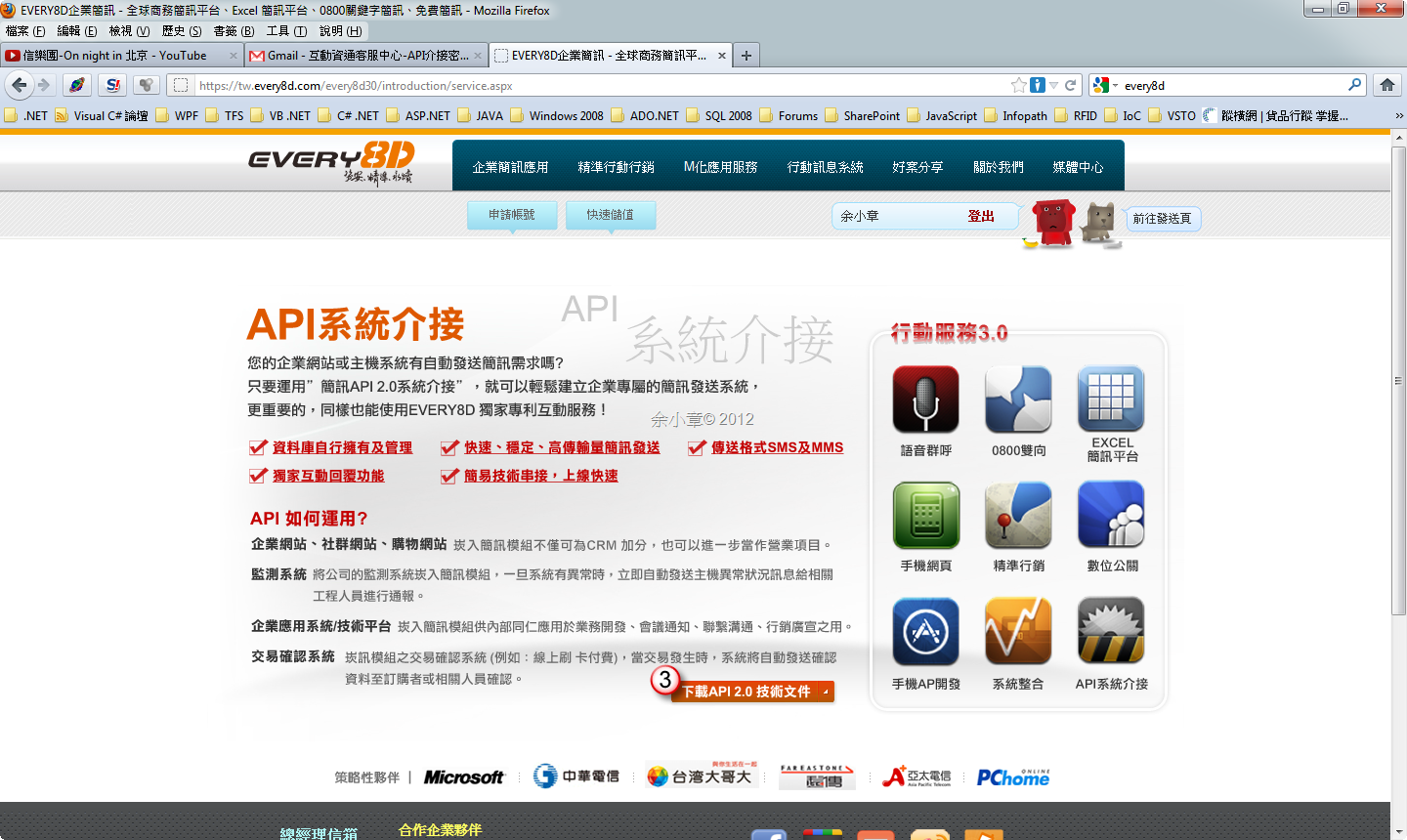
最後來到了下載頁面,https://tw.every8d.com/every8d30/introduction/download.aspx
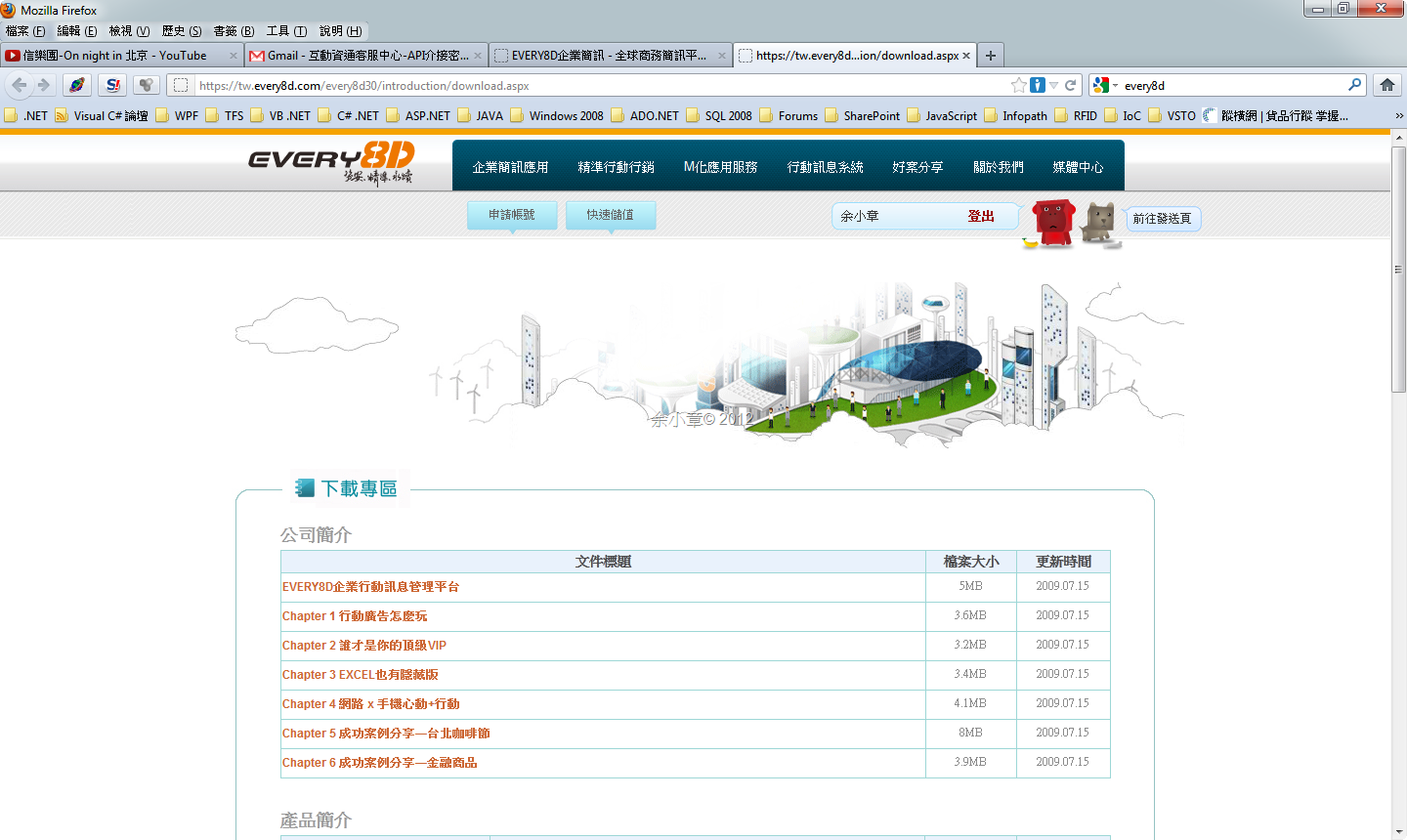
或是在首頁直接連到文件下載處,直接來到文件下載處(帖子都寫好了才看=.=!!!)
![SNAGHTML3f4f329[4]](https://dotblogsfile.blob.core.windows.net/user/yc421206/1204/C.NET-Every8d-_EB0A/SNAGHTML3f4f329%5B4%5D_1.png "SNAGHTML3f4f329[4]")
把這些文件都抓下來看。
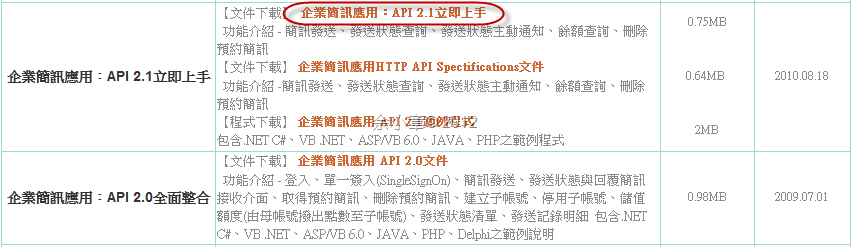
先針對 企業簡訊應用:API 2.1立即上手 來調查使用,當然開始前你必須要先有帳號跟密碼,去申請一個吧
開始前,加入Web Service http://api.every8d.com/API21/SOAP/SMS.asmx
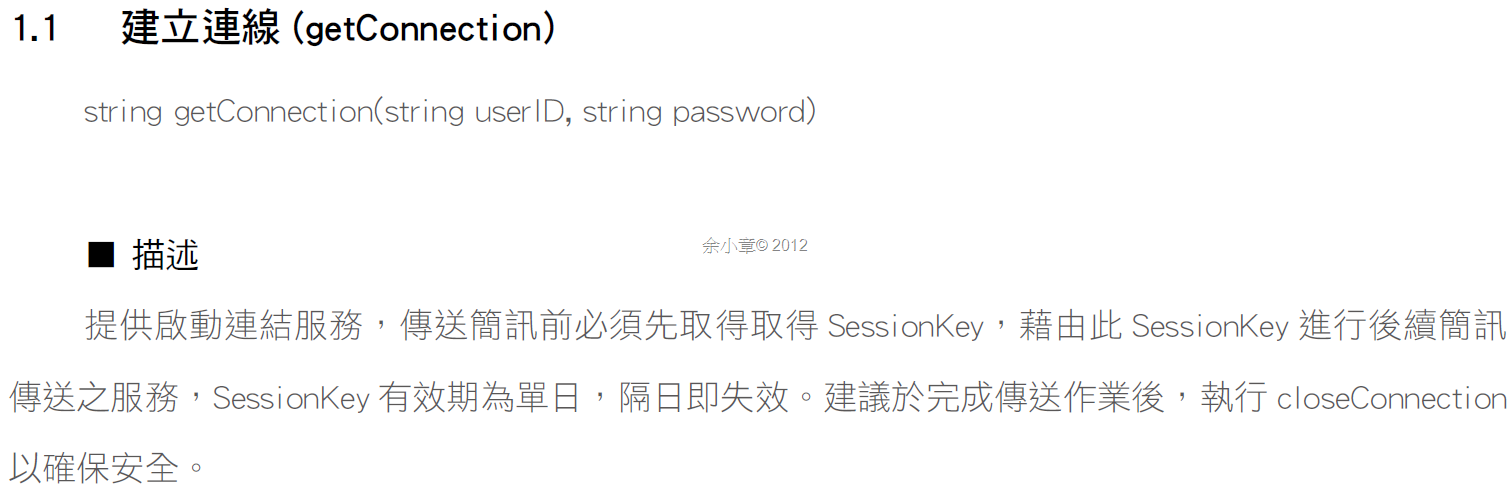
簡單來講就是要你的帳號跟密碼,getConnection 方法會回傳以下XML內容,連線建立起來後才會得到Session Key,有了它才能進行發簡訊的動作。
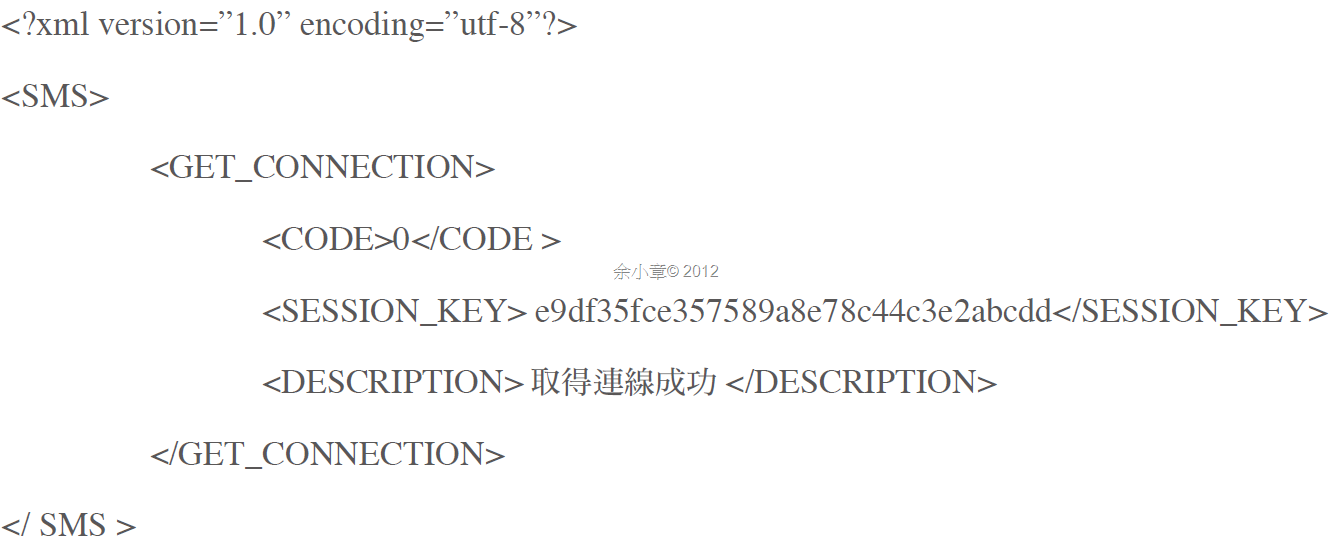
既然是Xml,我們就依照文件,定義Entity Class,準備用反序列化處理它,不知怎麼使用反序列化的捧油請參考以下:
[XML][C#.NET] 處理 ezTRACK 的 EPCIS Xml文件
[XML][C#.NET] 忽略XML宣告及XML命名空間
[Serializable, XmlRoot("SMS")]
public class ConnectionResponse
{
    [XmlElement("GET_CONNECTION")]
    public ConnectionSession Session { get; set; }
    public override string ToString()
    {
        return string.Format("{0},{1}", Session.Code, Session.Description);
    }
}

[Serializable, XmlRoot("GET_CONNECTION")]
public class ConnectionSession
{
    [XmlElement("CODE")]
    public string Code { get; set; }

    [XmlElement("SESSION_KEY")]
    public string SessionKey { get; set; }

    [XmlElement("DESCRIPTION")]
    public string Description { get; set; }

    public override string ToString()
    {
        return string.Format("{0}", SessionKey);
    }
}
登入參數類別
/// 登入參數
/// <summary>
/// 登入參數
/// </summary>
public class ConnectionRequest
{
    private string _CustID = "av8d20";

    public string CustID
    {
        get { return _CustID; }
        set { _CustID = value; }
    }

    public string UserID { get; set; }

    public string Password { get; set; }
}
類別建構子
#region fields

SMS _sms = new SMS();

DeSerialization _deSerial = new DeSerialization();

#endregion fields

private string _SessionKey;

public string SessionKey
{
    get { return _SessionKey; }
    private set
            {
                _SessionKey = value;
            }}

private ConnectionRequest _ConnectionRequest;

public ConnectionRequest ConnectionRequest
{
    get { return _ConnectionRequest; }
    set { _ConnectionRequest = value; }
}

public MessageFactory(ConnectionRequest ConnectionRequest)
{
    if (ConnectionRequest == null)
    {
        throw new ArgumentNullException("ConnectionRequest");
    }
    this.ConnectionRequest = ConnectionRequest;
}
登入的方法我這樣寫:
/// 登入
/// <summary>
/// 登入
/// </summary>
/// <returns></returns>
public string Login()
{
    string data = this._sms.getConnection(this.ConnectionRequest.UserID, this.ConnectionRequest.Password);
    if (string.IsNullOrEmpty(data))
    {
        return string.Empty;
    }

    ConnectionResponse sms = this._deSerial.FromXmlString<ConnectionResponse>(data);
    this.SessionKey = sms.Session.SessionKey;
    return this.SessionKey;
}
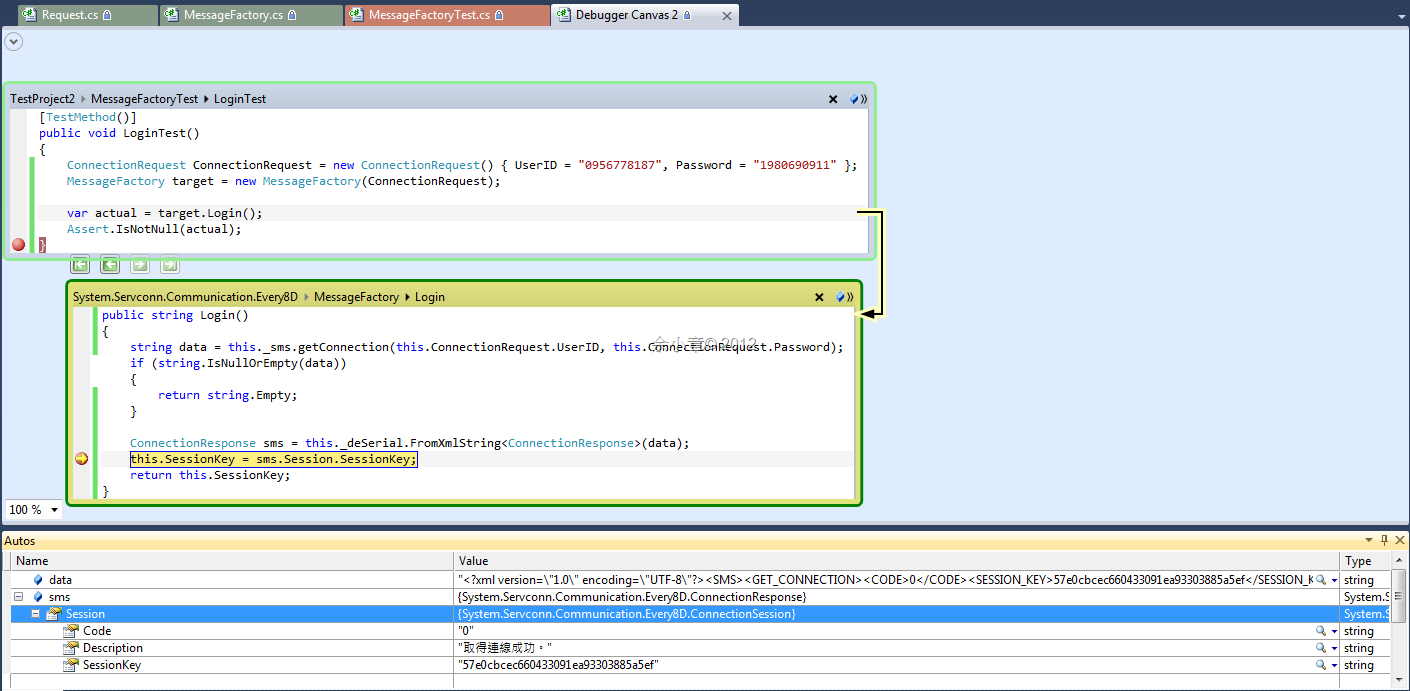
在單元測試這樣寫:
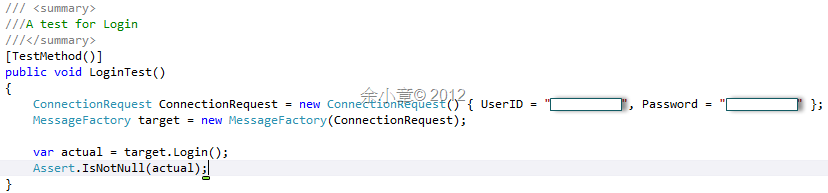
設中斷觀察,確定能被正確的反序列化。
登入成功後,拿著Session Key就可以發簡訊了,
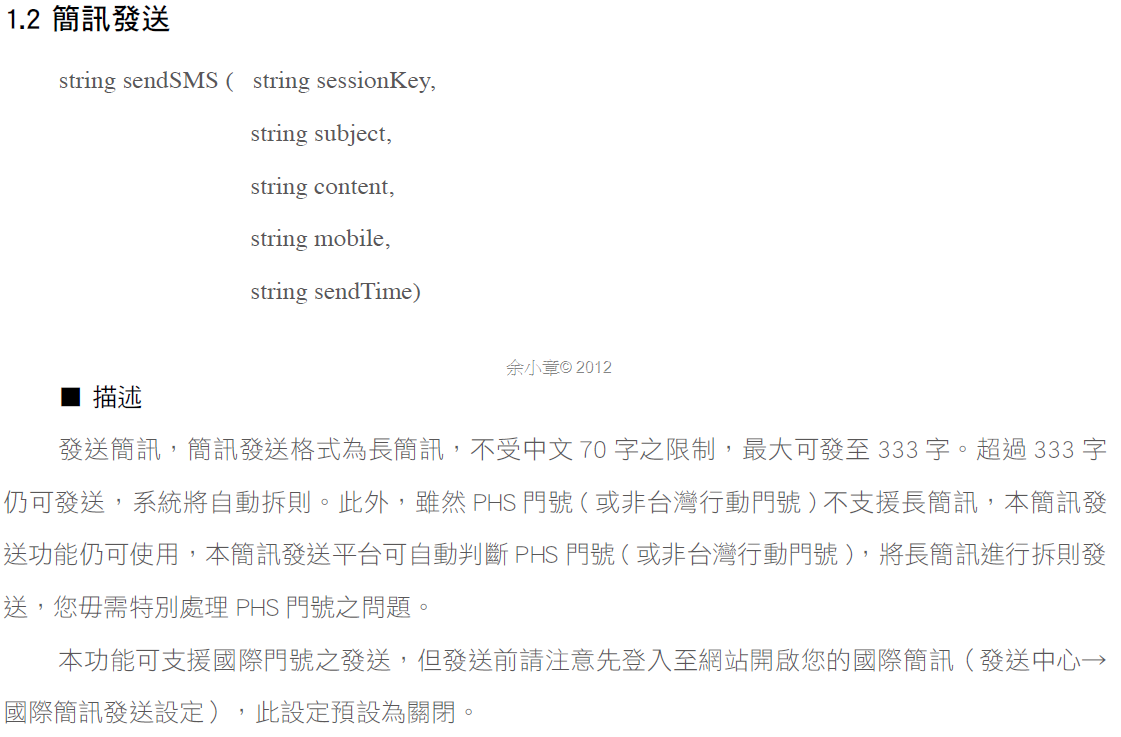
時間在這裡有特殊的格式,

所以我為它們定義了格式
internal class globalParameter
{
    public readonly static string SendMessageTimeFormat = "yyyyMMddHHmmss";
    public readonly static string GetReportTimeFormat = "yyyyMMdd";
}
似乎很多人都喜歡用逗點隔開當訊息,但這樣相當的醜,字串就算被分割得到了陣列,還要查文件才知道哪個索引擺了誰,寫程式已經很累了,還要到處翻文件。
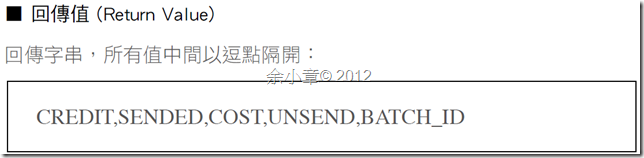
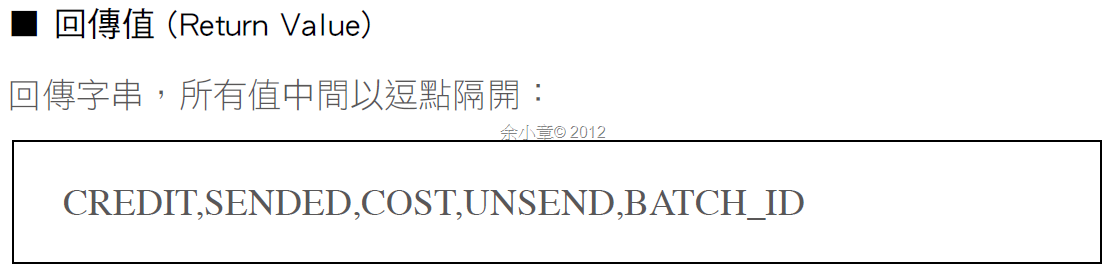
不如就回傳類別吧,用來接收簡訊發送結果
[Serializable]
public class SentMessageResponse
{
    public string Credit { get; set; }

    public string Sended { get; set; }

    public string Cost { get; set; }

    public string Unsend { get; set; }

    public string BatchID { get; set; }
}
傳簡訊的參數也把它給定義好
/// 簡訊傳送參數
/// <summary>
/// 簡訊傳送參數
/// </summary>
public class SendMessageRequest
{
    public string Subject { get; set; }

    public string Content { get; set; }

    public DateTime? SendTime { get; set; }

    private List<Mobile> _Mobiles = null;

    public List<Mobile> Mobiles
    {
        get
        {
            if (_Mobiles == null)
            {
                _Mobiles = new List<Mobile>();
            }
            return _Mobiles;
        }
        set { _Mobiles = value; }
    }
}
別忘了處理手機簡訊的格式!
/// 手機簡訊格式
/// <summary>
/// 手機簡訊格式
/// </summary>
public class Mobile
{
    private CountryCodeTable _Country = CountryCodeTable.Taiwan;

    public CountryCodeTable Country
    {
        get { return _Country; }
        set
        {
            _Country = value;
        }
    }

    private string _Number;

    public string Number
    {
        get
        {
            if (string.IsNullOrEmpty(_Number))
            {
                throw new ArgumentNullException();
            }
            if (!_Number.IsAllNumber())
            {
                throw new NotSupportedException();
            }
            return _Number;
        }
        set
        {
            if (string.IsNullOrEmpty(value))
            {
                throw new ArgumentNullException();
            }
            if (!value.IsAllNumber())
            {
                throw new NotSupportedException();
            }
            _Number = value;
        }
    }

    public string FullCellPhone
    {
        get { return string.Format("+{0}{1}", (int)this.Country, this.Number); }
    }
}
/// <summary>
/// 國碼
/// </summary>
public enum CountryCodeTable
{
    //亞洲
    /// <summary>
    /// 台灣
    /// </summary>
    Taiwan = 886,
    /// <summary>
    /// 中國
    /// </summary>
    China = 86,
    /// <summary>
    /// 香港
    /// </summary>
    HongKong = 852,
}
於是發送簡訊的程式碼如下:
/// 送簡訊
/// <summary>
/// 送簡訊
/// </summary>
/// <param name="Config"></param>
/// <returns></returns>
public SentMessageResponse Send(SendMessageRequest Config)
{
    if (string.IsNullOrEmpty(this.SessionKey))
    {
        throw new ArgumentNullException("SessionKey");
    }

    SentMessageResponse response = null;
    StringBuilder mobiles = null;
    foreach (var item in Config.Mobiles)
    {
        if (mobiles == null)
        {
            mobiles = new StringBuilder();
            mobiles.Append(string.Format("{0}", item.FullCellPhone));
        }
        else
        {
            mobiles.Append(string.Format(",{0}", item.FullCellPhone));
        }
    }
    string status = null;
    if (Config.SendTime == null)
    {
        status = this._sms.sendSMS(this.SessionKey, Config.Subject, Config.Content, mobiles.ToString(), "");
    }
    else if (Config.SendTime != null)
    {
        string time = ((DateTime)Config.SendTime).ToString(globalParameter.SendMessageTimeFormat);
        status = this._sms.sendSMS(this.SessionKey, Config.Subject, Config.Content, mobiles.ToString(), time);
    }

    if (string.IsNullOrEmpty(status))
    {
        return response;
    }
    else
    {
        string[] split = status.Split(',');
        response = new SentMessageResponse()
        {
            Credit = split[0],
            Sended = split[1],
            Cost = split[2],
            Unsend = split[3],
            BatchID = split[4],
        };
        return response;
    }
}
單元測試撰寫如下:
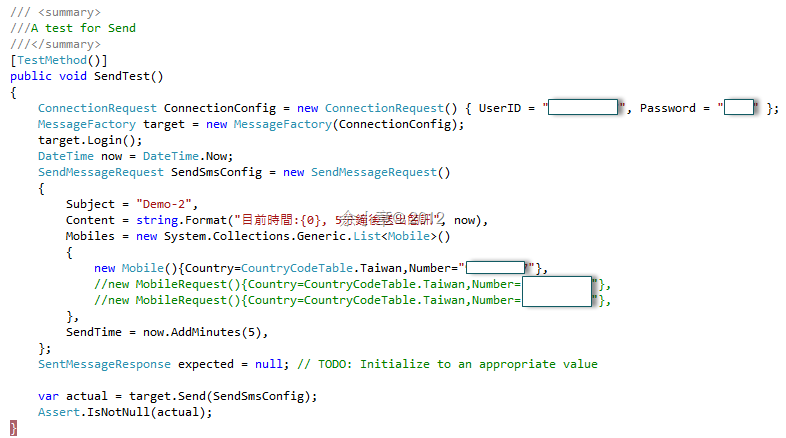
PS.電話號碼就算不存在,也是會扣點數的唷
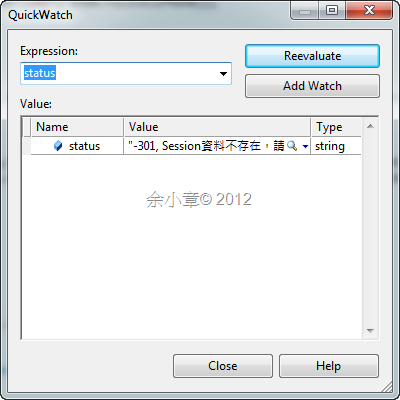
PS.Session Key錯誤則會產生以下訊息,這表示陣列數量變了,這很典型,開發者為了求快,而苦了後面的人。
Every8d還有一個不錯的功能,當你發送簡訊後,對方可以回覆簡訊,這簡訊會存在Every8d的Server裡,同樣透過Web Service取得
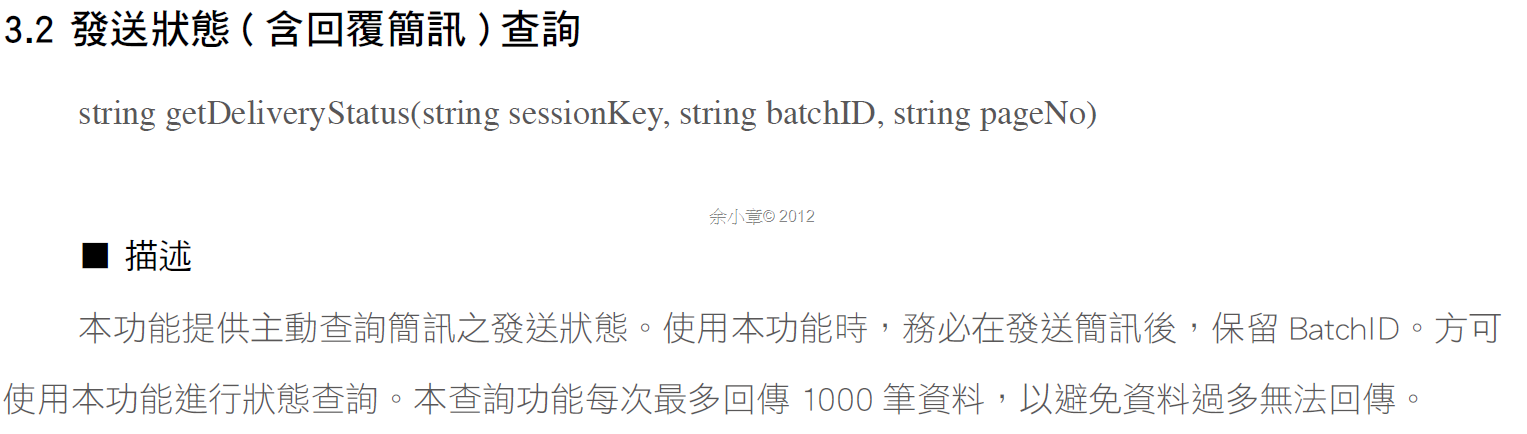
使用getDeliveryStatus所回傳的Xml資料
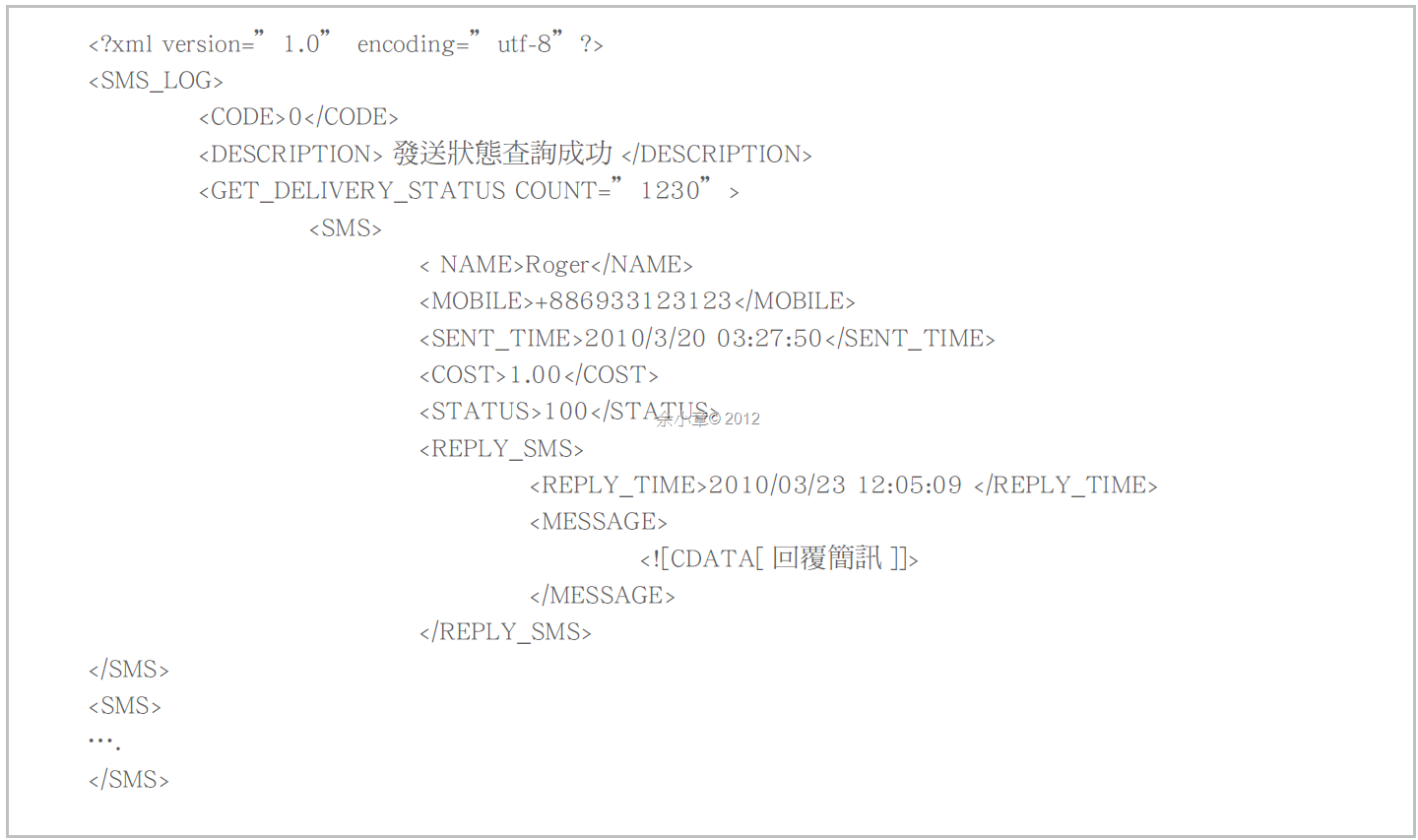
依照Xml文件,定義Entiry 類別,我用它來接收查詢結果
[Serializable, XmlRoot("SMS_LOG")]
public class DeliveryLogResponse
{
    [XmlElement("CODE")]
    public string Code { get; set; }

    [XmlElement("DESCRIPTION")]
    public string Description { get; set; }

    [XmlElement("GET_DELIVERY_STATUS")]
    public DeliveryStatus Status { get; set; }

    public override string ToString()
    {
        return string.Format("Description:{0}", Description);
    }
}

[Serializable, XmlRoot("GET_DELIVERY_STATUS")]
public class DeliveryStatus
{
    [XmlAttribute("COUNT")]
    public int Count { get; set; }

    [XmlElement("SMS")]
    public List<DeliverySendMessage> SentMessages { get; set; }

    public override string ToString()
    {
        return string.Format("Count:{0}", Count);
    }
}

[Serializable, XmlRoot("SMS")]
public class DeliverySendMessage
{
    [XmlElement("NAME")]
    public string Name { get; set; }

    [XmlElement("MOBILE")]
    public string Mobile { get; set; }

    [XmlElement("SENT_TIME")]
    public string SentTime { get; set; }

    [XmlElement("COST")]
    public string Cost { get; set; }

    [XmlElement("STATUS")]
    public string Status { get; set; }

    [XmlElement("REPLY_SMS")]
    public List<DeliveryReplyMessage> ReplyMessages { get; set; }

    public override string ToString()
    {
        return string.Format("SentTime:{0},Mobile:{1}", SentTime, Mobile.Trim());
    }
}

[Serializable, XmlRoot("REPLY_SMS")]
public class DeliveryReplyMessage
{
    [XmlElement("REPLY_TIME")]
    public string ReplyTime { get; set; }

    [XmlElement("MESSAGE")]
    public string ReplyMessage { get; set; }

    public override string ToString()
    {
        return string.Format("ReplyTime:{0},ReplyMessage:{1}", ReplyTime, ReplyMessage);
    }
}
定義查詢類別:
/// 簡訊回覆狀態查詢
/// <summary>
/// 簡訊回覆狀態查詢
/// </summary>
public class MessageDeliveryRequest
{
    public string BatchID { get; set; }

    public string PageNo { get; set; }
}
查詢發送需要BatchID,當你發送一則成功的簡訊後會得到,往上滾動查看sendSMS所回傳的內容吧
/// 查詢發送狀態
/// <summary>
/// 查詢發送狀態
/// </summary>
/// <param name="Config"></param>
/// <returns></returns>
public DeliveryLogResponse GetDeliveryStatus(MessageDeliveryRequest Request)
{
    if (string.IsNullOrEmpty(this.SessionKey))
    {
        throw new ArgumentNullException("SessionKey");
    }
    string status = this._sms.getDeliveryStatus(this.SessionKey, Request.BatchID, Request.PageNo);
    if (string.IsNullOrEmpty(status))
    {
        return null;
    }
    else
    {
        DeliveryLogResponse response = this._deSerial.FromXmlString<DeliveryLogResponse>(status);
        return response;
    }
}
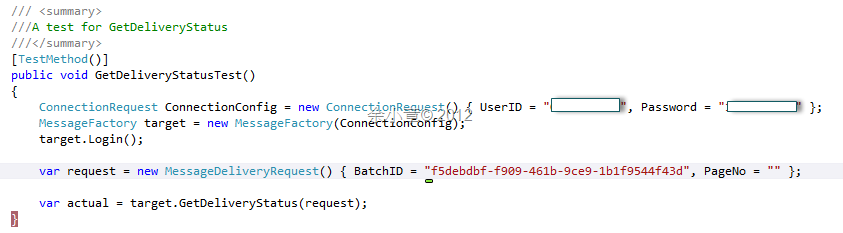
測試程式這樣寫
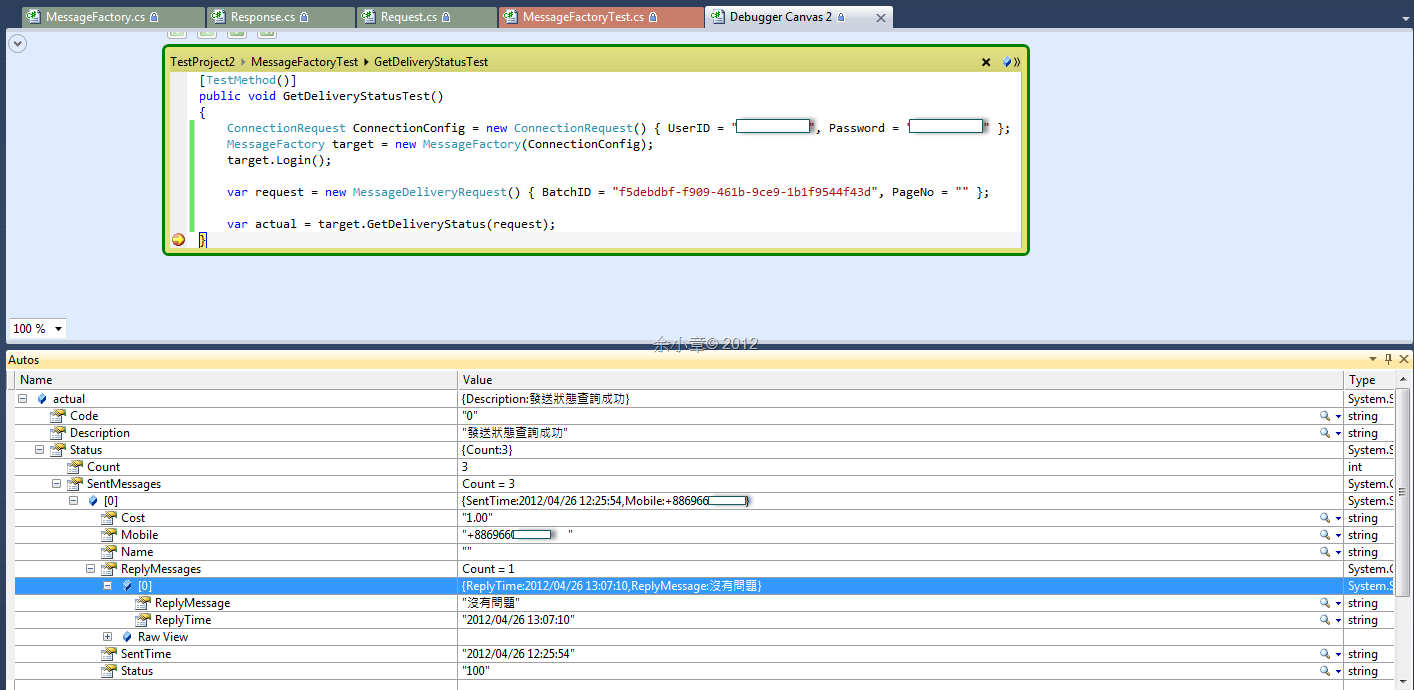
中斷觀察反序列化結果,果然很順利的得到我要的結果:
若有謬誤,煩請告知,新手發帖請多包涵

Microsoft MVP Award 2010~2017 C# 第四季
Microsoft MVP Award 2018~2025 .NET
