using powershell instead of Git Bash in Claude Code
今天幸運看到claude code給我的tips:Set CLAUDE_CODE_USE_POWERSHELL_TOOL=1 to enable the PowerShell tool (preview)
微軟生態系的開發者,應該很常讓 claude code 執行 msbuild、sqlcmd 這些微軟軟體的CLI指令吧。
可以試著啟用上述設定,讓 claude code預設使用Powershell工具而不是Git Bash,這樣會讓 claude code叫用微軟軟體的指令變得精簡許多節省token = 節省你的開銷費用
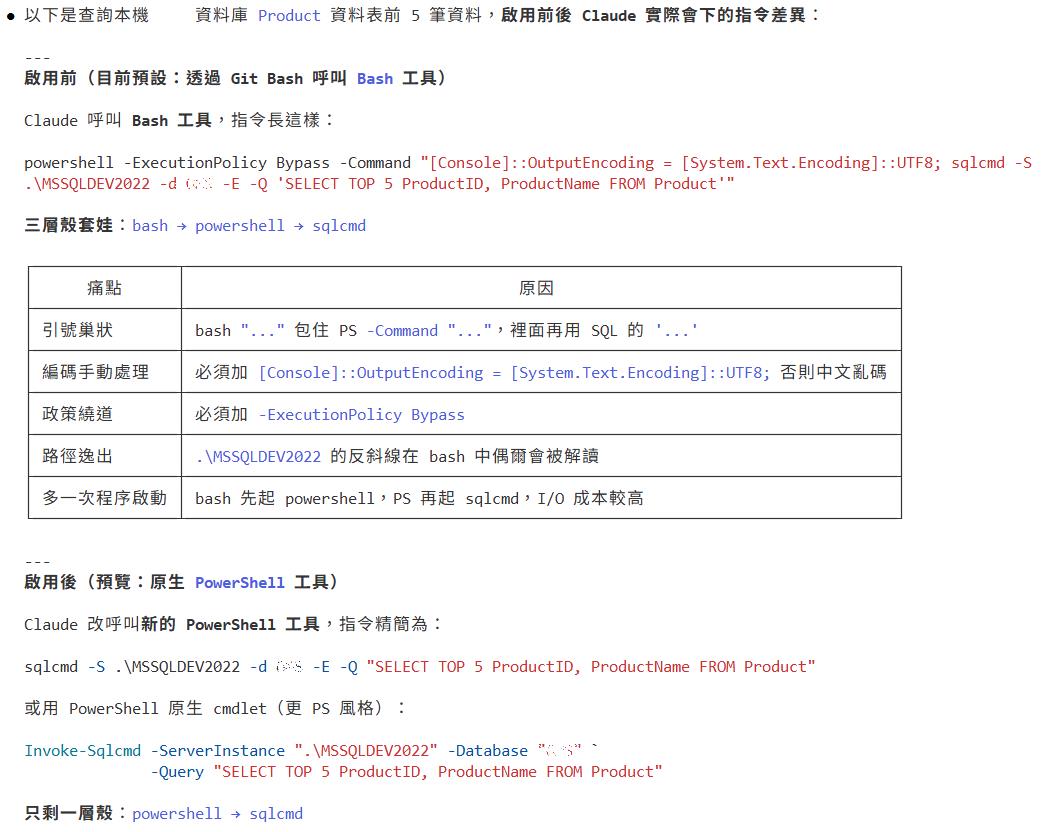
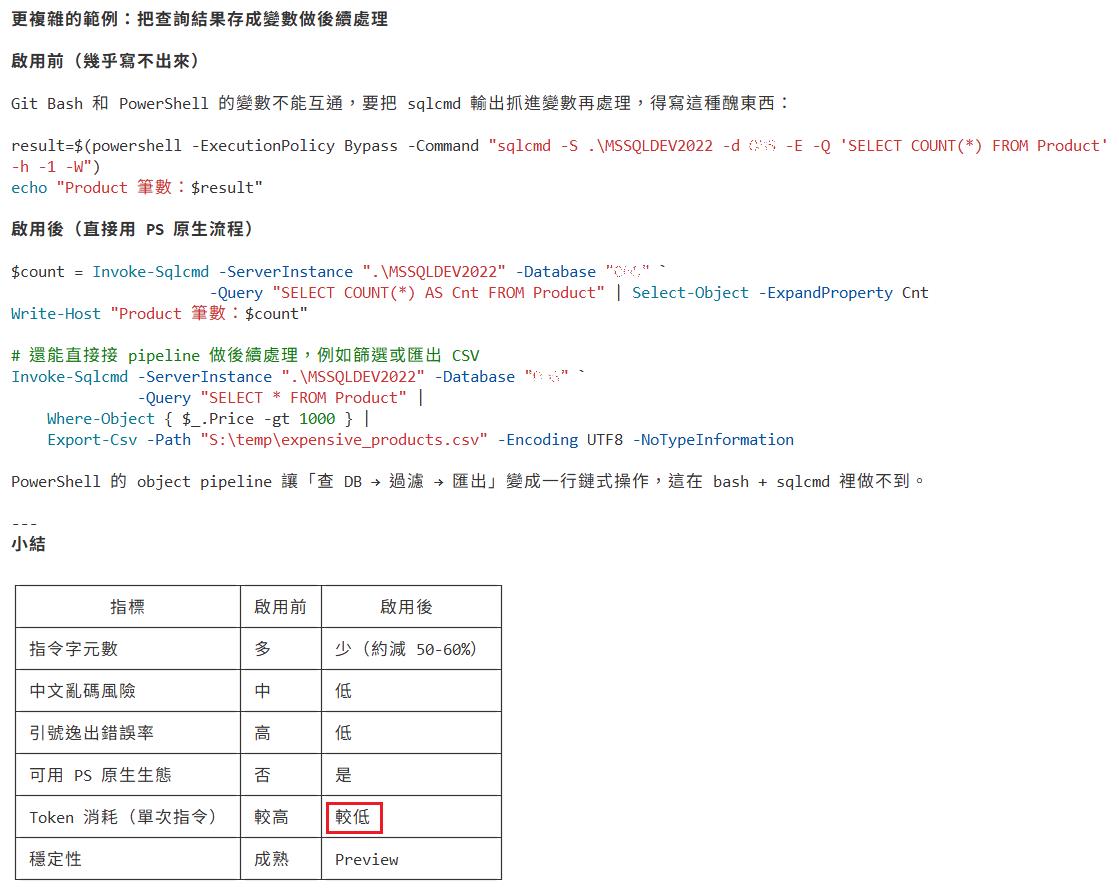
從Bash改成預設PowerShell工具後,記得請 Claude Code檢查你的User Memory、Project Memory 、Skill檔案,裡頭是否有寫死的Bash語法,也要連帶修改
Claude Code提示詞:
# 想要把預設的Bash指令工具改成最新版的Powershell指令工具
- 請告訴我目前Windows電腦內建的PowerShell版本號,以及目前最新PowerShell的版本號,如果我的Windows內建版本太舊的話,請你幫我安裝 Powershell最新版,至少須 7.x 版本以上。
- PowerShell最新版安裝完畢後,再幫我設定Claude Code的環境變數:`Set CLAUDE_CODE_USE_POWERSHELL_TOOL=1 to enable the PowerShell tool `。
- 請幫我檢查Claude Code 的 User Memory、Project Memory的CLAUDE.md及settings.json、settings.local.json、skill等等檔案的內容,是否有需要配合修改 Bash指令 的地方?
↑如果有的話,我想要 Powershell 與 Bash工具 新舊指令的雙寫範例,請幫我追加寫下 Powershell最新版指令(pwsh)的新寫法,然後交待未來的你在執行CLI指令時,優先使用最新版本的Powershell、目前舊寫法的 Bash工具的指令 也仍請保留供 Powershell執行錯誤時的備案執行工具的參考。

以上,你改寫配置完成後,請擬出執行計畫教我:
- 我該如何測試你的指令工具從`Bash`已改成優先`Powershell`?
- 還有,我該怎麼測試 Claude code 優先找最新版本的 `pwsh` 指令而不是舊版 Windows 內建的 Powershell?